Website, CRM, and Digital Marketing Integration: How They Work Together
A business website can attract visitors. Digital marketing can bring potential customers to that website. A CRM can help your team manage the enquiries they receive.
However, these systems may not work well when they operate separately.
For example, a customer may submit a website form after clicking an advertisement. If the enquiry does not reach your sales team, the opportunity may be missed.
Connecting your website, CRM, and digital marketing systems can improve this process.
In this guide, we explain how these systems work together, which integrations matter, and how businesses can build a connected lead management process.
What Is Website, CRM, and Digital Marketing Integration?
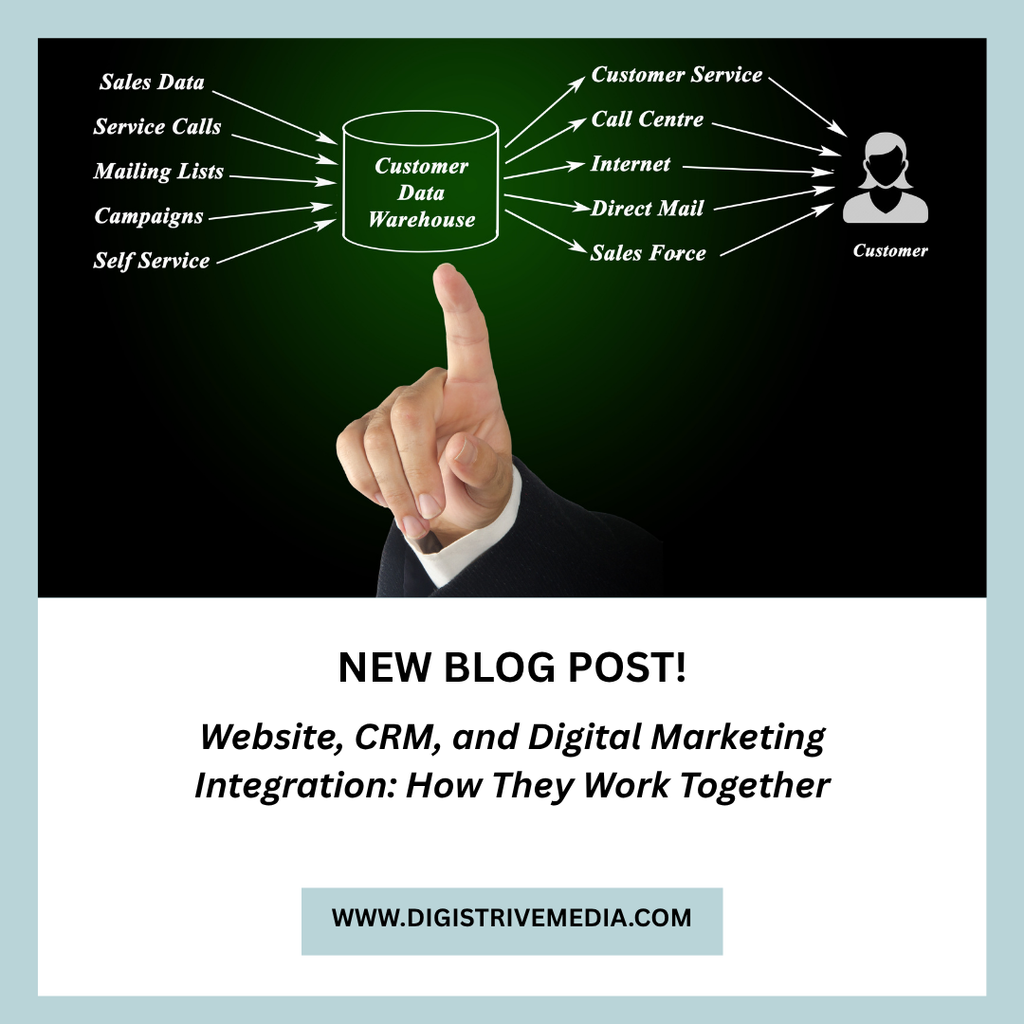
Integration connects different business tools so they can exchange information.
A website collects enquiries and customer details. Digital marketing attracts visitors through channels such as search engines and paid advertising. A CRM stores lead information and helps your team manage follow-ups.
When these systems are connected, information can move between them with less manual work.
For example, a website enquiry could create a CRM record automatically. The CRM could then assign the lead to a salesperson and create a follow-up task.
This gives your team a clearer process from the first enquiry to the final sale.
Why Do Businesses Need Connected Systems?
Businesses often use several tools to manage marketing and sales.
However, disconnected tools can create avoidable problems.
1. Leads Get Missed
Enquiries may arrive through website forms, calls, and advertising campaigns.
If each channel is managed separately, employees may overlook some leads.
A connected system can bring supported enquiry sources into one place. Your team can then assign responsibility and track progress.
2. Employees Enter Data Repeatedly
Your team may copy customer details from forms into spreadsheets or CRM records.
This takes time and can introduce errors.
Integration can reduce repeated data entry when the connected systems support the required data exchange.
3. Marketing Results Are Difficult to Measure
Advertising platforms may report clicks and conversions. Your sales team may track leads and revenue separately.
Without a clear connection, it can be difficult to understand which campaigns generate qualified enquiries or paying customers.
Connecting marketing and sales data can improve reporting. However, accurate tracking and consistent records are essential.
4. Follow-Ups Are Delayed
A potential customer may expect a response soon after submitting an enquiry.
If employees receive the information late, the conversation may lose momentum.
A connected workflow can notify the assigned employee and create a follow-up task.
How the Website, CRM, and Marketing System Work Together
Each component has a different role.
The Website Attracts and Captures Enquiries
Your website should explain your services and help visitors take the next step.
Depending on your business, this may involve a contact form, booking form, product purchase, or phone call.
A well-designed website should also work on mobile devices and provide clear calls to action.
Explore Digistrive Media’s website to learn more about our digital services.
Digital Marketing Brings Relevant Visitors
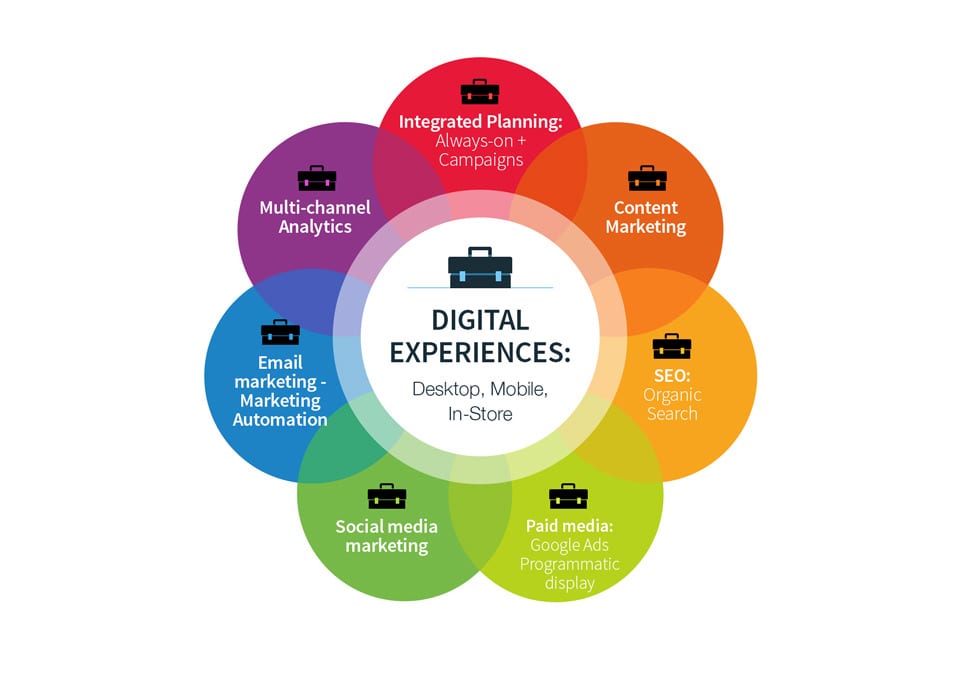
Digital marketing helps potential customers discover your business.
Common channels include:
- Search engine optimisation.
- Google Ads.
- Social media advertising.
- Organic social media.
- Email marketing.
- Content marketing.
Each channel serves a different purpose. The right mix depends on your audience, budget, and business goals.
The CRM Organises Leads
Once a person submits an enquiry, the CRM can store the details and record the lead source when that information is available.
Your team can then assign the lead, update its status, and schedule follow-ups.
Over time, this information can help you review lead quality and sales performance.
A Practical Example: From Advertisement to Customer
Consider a company that offers website development services.
The company runs a Google Ads campaign to attract businesses looking for a new website.
Here is how an integrated process could work.
Step 1: A potential customer clicks an advertisement.
The visitor reaches a landing page that explains the service and its benefits.
Step 2: The visitor submits an enquiry.
The website form collects the required contact and project details.
Step 3: The enquiry enters the CRM.
If the integration is configured correctly, the CRM creates a lead record and captures available source information.
Step 4: The sales team receives a task.
The CRM assigns the lead and schedules a follow-up.
Step 5: The salesperson contacts the prospect.
The employee records the conversation and updates the lead status.
Step 6: The business tracks the result.
The team can review whether the lead became a customer and compare results across marketing channels.
This process makes it easier to connect marketing activity with sales outcomes.
Essential Features of an Integrated Business System
The exact features depend on your business. However, several capabilities are useful for many companies.
Website Form Integration
Website forms should send enquiry details to the appropriate system.
Test every form after setup. Confirm that records are created correctly and that notifications reach the intended employees.
Lead Source Tracking
Record where each lead originated when reliable source data is available.
For example, a lead may come from organic search, a paid advertisement, a referral, or a social media campaign.
Consistent source tracking helps you compare marketing performance.
CRM Lead Assignment
The CRM should assign responsibility for new enquiries.
Assignments may depend on the service requested, branch, territory, or employee availability.
Clear ownership reduces confusion about who should contact each prospect.
Follow-Up Reminders
The system can create tasks based on lead status or agreed follow-up dates.
For example, a salesperson may receive a reminder after sending a quotation.
Automated customer messages should follow applicable consent and communication requirements.
Conversion Tracking
Configure suitable conversion events, such as completed forms, bookings, purchases, or qualified leads.
Avoid counting every page view as a business conversion.
Where possible, compare advertising data with CRM outcomes. This can help you evaluate lead quality rather than relying only on click volume.
Reports and Dashboards
A useful dashboard may show:
- Enquiries by source.
- Cost per lead.
- Qualified leads.
- Follow-up status.
- Sales conversion rate.
- Revenue attributed to campaigns, where reliable attribution is available.
These reports can support better marketing decisions.
Ready-Made Integration Tools or Custom Development?
There are different ways to connect your website, CRM, and marketing systems.
Use Existing Integrations
Many software products provide built-in integrations or APIs.
This can be a practical option when your systems are compatible and the required features are available.
Check whether the integration supports all the fields and workflows you need.
Use Automation Platforms
Some automation platforms connect applications through predefined workflows.
For example, a form submission may trigger a CRM record and an internal notification.
Review usage limits, subscription costs, and error-handling options before relying on an automated workflow.
Consider Custom Integration
Custom development may be useful when standard integrations cannot support your requirements.
For example, a business may need to connect its website, CRM, billing system, and branch management software.
A custom integration can be designed around those workflows. However, it requires technical planning, testing, and ongoing maintenance.
Explore our software development services if your business needs custom applications or system integration.
How Much Does Integration Cost?
Integration costs depend on the number of systems, available APIs, data complexity, and workflow requirements.
A built-in integration may be included in an existing subscription. An automation platform may charge according to usage or plan limits.
Custom integration may require additional development and testing.
Before requesting a quotation, list the systems you use and the information that must move between them.
Also, identify what should happen when a connection fails or a record contains incomplete information.
This helps the development team estimate the work more accurately.
How to Implement an Integrated System
A structured implementation can reduce disruption and rework.
Step 1: Map Your Current Process
Document how visitors become leads and how leads become customers.
Identify where information is collected, who handles it, and where delays occur.
Step 2: Choose a Single Source of Truth
Decide which system will hold the main customer record.
For example, the CRM may be the primary location for lead status and sales activity.
This reduces conflicting records across multiple tools.
Step 3: Define the Required Data
List the fields that must be transferred.
These may include contact details, service requirements, lead source, assigned employee, and enquiry date.
Collect only the information necessary for the business purpose.
Step 4: Configure and Test Integrations
Test the complete workflow before launch.
Submit sample enquiries and verify that records, assignments, notifications, and source details work as expected.
Also, test duplicate submissions and connection failures.
Step 5: Train Your Team
Employees should understand how to update records and manage follow-ups.
Clear procedures help maintain consistent data.
Step 6: Review Performance
Monitor missed leads, response times, lead quality, and conversion rates.
Use these results to improve the process over time.
Common Mistakes to Avoid
Integration can create problems if it is implemented without a clear plan.
Avoid these mistakes:
- Connecting systems without defining the workflow.
- Sending incomplete or duplicate records.
- Ignoring failed integrations.
- Tracking clicks without measuring meaningful conversions.
- Giving employees unnecessary access to customer data.
- Automating a process that has not been tested.
- Forgetting ongoing subscription and maintenance costs.
Start with one important workflow. Expand only after it works reliably.
How Digistrive Media Can Help
Digistrive Media offers website development, digital marketing, and software development services for businesses.
We can help assess how your website, marketing activities, and business systems should work together.
Depending on your requirements, this may involve landing pages, lead capture, CRM workflows, or custom integrations.
Explore our software development services and visit the Digistrive Media homepage to learn more.
Want to connect your website, marketing, and sales processes? Contact Digistrive Media to discuss your requirements and identify a suitable approach.
Frequently Asked Questions
What is website and CRM integration?
Website and CRM integration connects your website with customer management software. It can send form submissions and other supported data into the CRM, reducing manual entry.
Can Google Ads leads go directly into a CRM?
Yes, depending on the CRM, advertising setup, and integration options available. The configuration should be tested to confirm that lead records and source information are captured correctly.
Does CRM integration improve lead generation?
Integration does not automatically generate more leads. However, it can help businesses respond to enquiries consistently and measure lead quality more effectively.
Do small businesses need an integrated system?
Not always. A business with few enquiries may manage with simpler tools. Integration becomes more useful when manual work, missed follow-ups, or disconnected data create problems.
Is custom integration better than ready-made integration?
Not necessarily. Use a ready-made integration when it supports your requirements reliably. Consider custom development when important workflows or data connections are unavailable.
How do I measure the success of an integrated system?
Track metrics such as lead response time, missed enquiries, qualified leads, conversion rate, and manual work reduced. Compare these results with your previous process.
Conclusion
Your website, CRM, and digital marketing activities serve different purposes. When they work together, your business can manage enquiries more consistently and measure results more clearly.
Start by identifying where your current process breaks down. Then connect the systems that solve the most important problems.
Test the workflow, train your team, and review performance regularly.
The goal is to build a connected process that supports better customer management and informed business decisions.